Why External JSON Formatting Helps During Integrations

When teams integrate two systems, the JSON flowing between them becomes the language both sides rely on. If that language is messy, inconsistent, or difficult to read, even simple tasks feel heavier than they should. Anyone who has tried to debug an unfamiliar integration knows how quickly poorly formatted JSON can drain focus and momentum. Sometimes the information is there, but the structure hides it.
External JSON formatting tools might seem like small conveniences, yet they often become the quiet heroes of integration work. Clean, readable JSON changes the pace of problem-solving. It reduces cognitive load, exposes structure instantly, and removes the guesswork that typically slows developers down.
The benefits aren’t theoretical. They emerge repeatedly during real integration projects—during onboarding, debugging, testing, refining payloads, or interpreting third-party data. Clear structure brings clarity of thought, and clarity is exactly what integrations demand.
The Role of JSON in Cross-System Communication
JSON sits at the center of most modern integrations. APIs exchange it constantly, config files reference it, and automation scripts rely on it to describe everything from user preferences to system behaviors. But what makes JSON valuable—its flexibility—is also what makes it easy to misread.
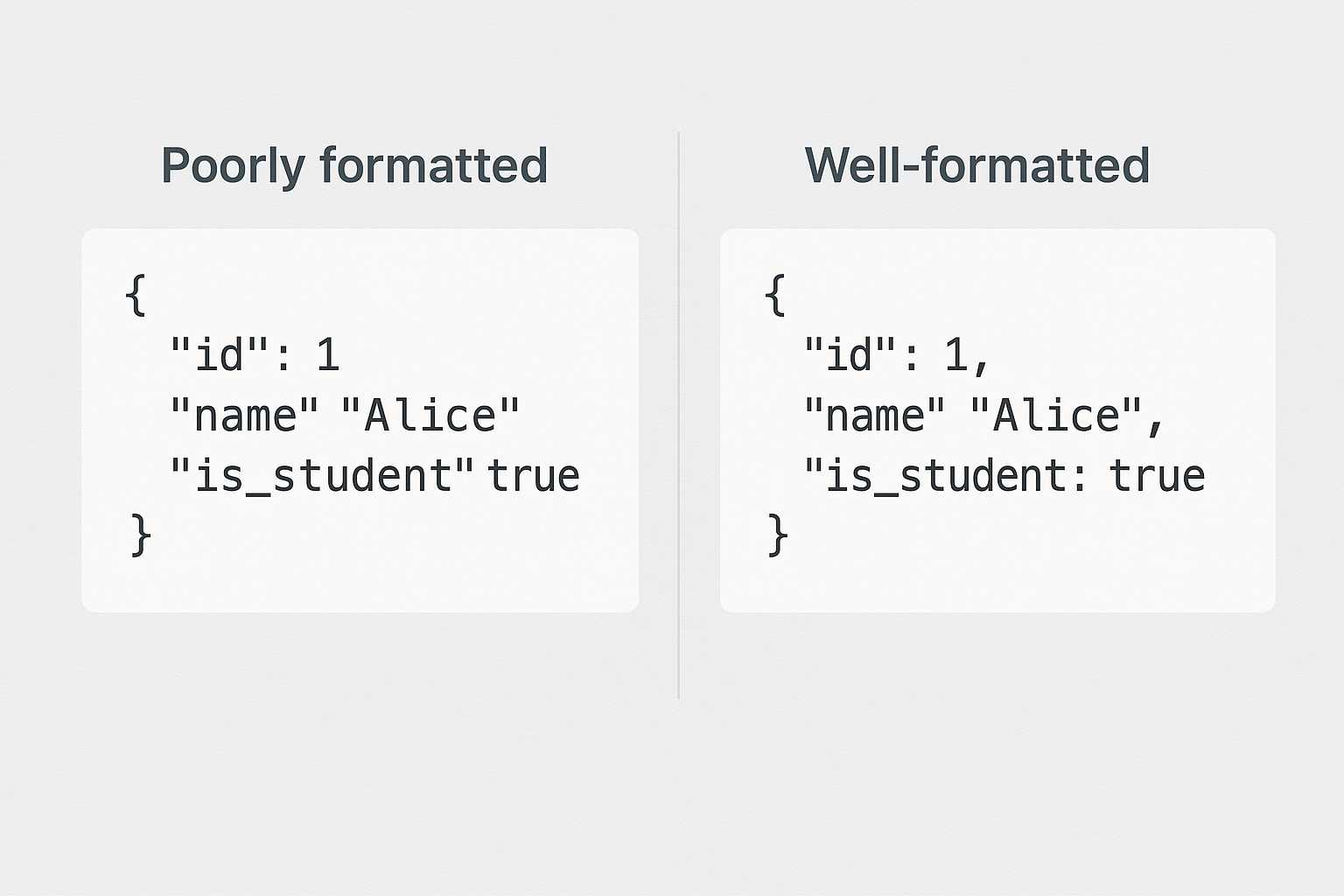
A long, compressed line of JSON doesn’t tell you much. Indentation disappears, relationships blur, and patterns hide behind walls of brackets. During an integration, this creates unnecessary friction. Developers must understand structure quickly if they want to make meaningful progress.
Readable JSON acts like a map. Without formatting, it’s more like a puzzle.
Why Integrations Become Harder When JSON Isn’t Clear
Integrations involve multiple moving parts—source systems, receiving systems, authentication, transformations, validation layers, logs, test environments, and eventual production flows. When JSON isn’t formatted clearly, each of these moving parts becomes harder to reason about.
Most of the pain comes from moments like these:
- You’re trying to understand why a value didn’t map correctly.
- The response contains nested structures that collapse into unreadable blocks.
- You need to compare two versions of a payload line by line.
- An upstream system adds a field without warning, and you need to spot what changed.
- Error messages return JSON inside JSON—a formatting nightmare when unformatted.
Without structure, every one of these becomes slower. With structure, each issue becomes easier to trace.
External Formatting vs. Internal Tools
Most systems have their own formatting options, but internal formatters often fall short. Some only prettify JSON partially. Some strip comments or metadata. Others collapse arrays or reorder keys, making comparisons harder.
External formatting tools give developers neutrality. The JSON is shown as-is, without side effects, without transformations, and without editor-specific quirks. That neutrality matters during integrations because responses have to be understood exactly as they were sent or received.
It’s the difference between examining something under harsh fluorescent lights versus natural lighting. Nothing changes technically, but clarity improves dramatically.
Reducing Cognitive Load During Debugging
Debugging integrations is rarely about fixing one thing. It’s about unraveling chains of events. You trace input to output, compare intermediate states, and follow data across several layers. Poorly formatted JSON increases the mental effort required at every step.
Clear formatting lowers that effort. Developers can skim instead of decode. They can spot mismatched brackets instantly. They can see where arrays begin and end. They can identify optional fields that were omitted or added unexpectedly.
This isn’t just about convenience; it preserves mental energy. Long debugging sessions often stall not because of difficulty but because of fatigue generated by constantly deciphering structure.
Helping Teams Align During Collaboration
Integrations often involve more than one team—even more than one company. When multiple people review the same payloads, clarity becomes collaborative currency. Clean JSON avoids situations where developers interpret fields differently, misunderstand nested structures, or overlook subtle changes.
For example, a backend engineer, a frontend developer, and a QA analyst may all look at the same API response. If that response is compressed or structured inconsistently, mismatched assumptions ripple across the workflow. With formatted JSON, everyone sees the same structure immediately. Alignment becomes smoother.
Consistency is especially important when teams work asynchronously. Clear formatting ensures that shared payloads don’t require long explanations or back-and-forth clarification.
Identifying Breaks in Data Mapping
One of the most common integration issues is incorrect field mapping. Sometimes a field is spelled differently. Sometimes a nested object is shaped differently than expected. Sometimes the upstream payload contains a list when the system expects a single value.
When JSON is unformatted, these issues hide behind visual noise. A field buried inside a long array is easy to miss. A mismatched type inside a nested object blends into the background. But formatted JSON exposes these problems immediately.
A few examples of issues that become obvious only when formatted:
- A
nullfield where a string was expected - An additional wrapper object the receiving system wasn’t designed to handle
- Unexpected empty arrays
- Incorrect casing in field names
- Deeply nested fields that should be flattened
These issues aren’t obscure—they appear constantly in real integration logs. Clear formatting simply makes them easier to recognize.
Spotting Hidden Differences During Version Comparisons
Integrations often break when an upstream system updates its payload structure. A field is renamed, removed, or added. A type changes silently. Metadata is reorganized. APIs evolve, but integrations don’t always keep pace.
Comparing two unformatted JSON files is nearly impossible. Comparing two formatted versions, however, reveals differences line by line. Structure turns differences from blurry uncertainty into visible contrast.
Developers often rely on formatting tools for this exact scenario. Before running a diff, both files must be formatted identically; otherwise, cosmetic differences disguise actual changes. Clean structure ensures that comparisons highlight only meaningful differences.
Making Logs Understandable Without Extra Effort
Logs often store JSON on a single line to reduce file size or simplify ingestion for monitoring tools. While efficient, this makes logs extremely hard to read manually.
During integration debugging, logs are one of the first places developers look. When logs contain compressed JSON, developers lose time copying payloads into formatters, searching for missing fields, or reconstructing the structure in their heads.
Readable JSON reduces that time dramatically. When logs are easier to parse, debugging becomes smoother and faster.
Supporting QA and Testing Workflows
QA teams often work with JSON when validating integrations. They may not write backend code, but they still need to understand payloads thoroughly. Clean formatting helps them:
- Verify that required fields appear as expected
- Identify incorrect shapes or inconsistent types
- Understand nested objects without developer intervention
- Create accurate test cases
- Interpret error responses clearly
When the JSON is readable, QA becomes more autonomous. They don’t need developers to translate structure or explain unfamiliar fields. That independence speeds up the entire integration cycle.
Increasing Confidence During API Onboarding
When working with a new API, external formatting tools help developers understand the structure long before writing any integration code. A formatted payload shows the shape of the API immediately—keys, nesting, types, hidden structures, optional fields.
Developers don’t have to search through documentation hoping the examples match reality. They can inspect real responses with clarity and begin designing integration logic with confidence.
Onboarding becomes smoother not because the API is simpler but because the structure is easier to digest.
Formatting as a Lightweight Source of Truth
During active integration development, formatted JSON often becomes a temporary source of truth. Developers use it to answer questions such as:
- What fields appear consistently?
- What shapes repeat?
- Which fields are optional?
- Which values differ across environments?
- What metadata does the API return?
An external formatter preserves raw JSON exactly, which makes it easier to trust during investigation. While working through schema variations earlier this week, I pasted a long payload into {{link_of_tool}} simply to clarify the nesting, and the insight that emerged made the next steps straightforward.
Formatters don’t create new information—they reveal what’s already there.
Clarifying the Intent Behind JSON Structures
Structure communicates intent. When a team formats JSON clearly, the hierarchy itself tells developers what matters, what relates to what, and which parts of the payload carry primary meaning. Poor structure hides intent, leaving developers unsure about which fields are significant and which are incidental.
A clear structure indicates:
- Which parts of the payload represent core data
- Which nodes hold metadata or supporting context
- Which fields belong together logically
- Which areas are likely to evolve
Understanding intent is essential during integrations. Without it, developers risk building workflows based on incorrect assumptions.
Helping Teams Avoid Miscommunication
Integrations often fail due to misunderstandings rather than technical errors. A developer might assume a field always contains a value. Another might believe an array always has at least one item. A third might assume a wrapper object always appears in the response.
Formatted JSON reduces these misunderstandings. When the structure is readable, assumptions disappear. Teams see the same data shape and interpret it the same way. This shared understanding avoids countless integration bugs.
External Formatting Helps Maintain Integration Stability
Integrations are fragile when structure is unclear. Small changes break workflows. Unexpected values cause silent failures. Minor inconsistencies trigger hours of debugging. Clear formatting helps developers plan more robust integration logic because it motivates them to consider shape, type, and hierarchy explicitly.
Readable structure encourages predictable handling of:
- empty arrays
- null values
- type variations
- optional attributes
- nested objects that may or may not appear
Better predictions lead to more resilient integrations.
Conclusion
External JSON formatting might seem like a small detail, but it consistently improves integration workflows. It accelerates debugging, strengthens team collaboration, clarifies structure, and reduces misunderstandings. When developers can read payloads easily, they make decisions faster and with greater confidence.
Integrations depend on clarity, and formatted JSON delivers exactly that. It reveals the structure, highlights issues, and supports better reasoning. In a world where integrations constantly evolve, clarity is one of the strongest advantages a development team can have.